Plugin Manager
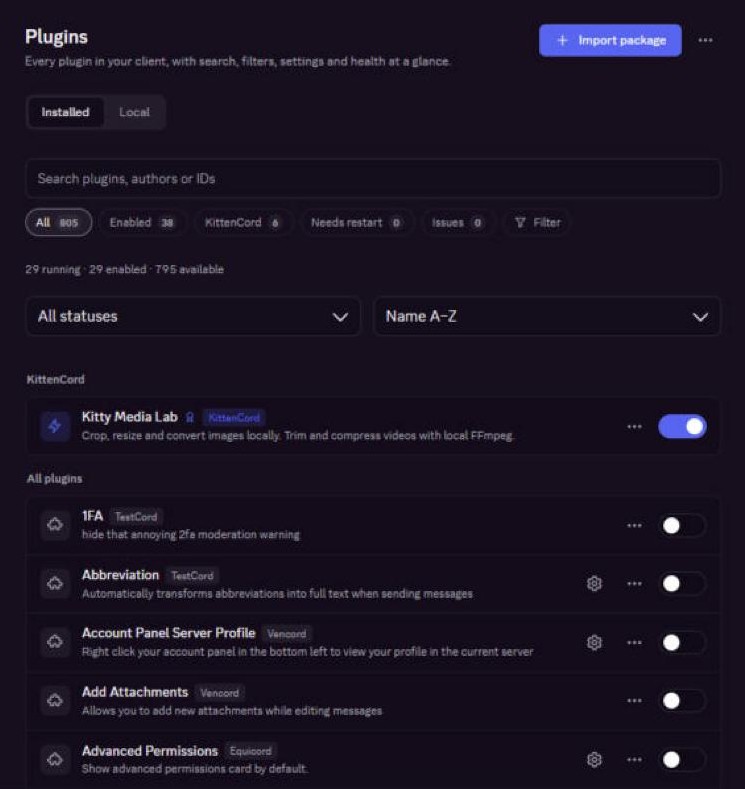
Search about 800 plugins, filter by source or category, and switch between a list and cards. Every plugin shows whether it is healthy.
 KittenCord

KittenCord is the cutest Discord client mod. About 800 plugins, a Theme Library, Plugin Studio and badges, inside the Discord you already use.
Features
KittenCord adds its own section to Discord settings. Everything you need lives there, and it follows your Discord theme.
Search about 800 plugins, filter by source or category, and switch between a list and cards. Every plugin shows whether it is healthy.
Your own themes plus a Theme Library and a Snippet Library, built into the Themes page.
Show KittenCord badges and choose their order. Vencord, Equicord and TestCord badges keep showing too.
If a plugin stops Discord from starting twice in a row, only that plugin stays off for one launch, and you are told why.
See which plugins are running, which need a restart and which stopped.
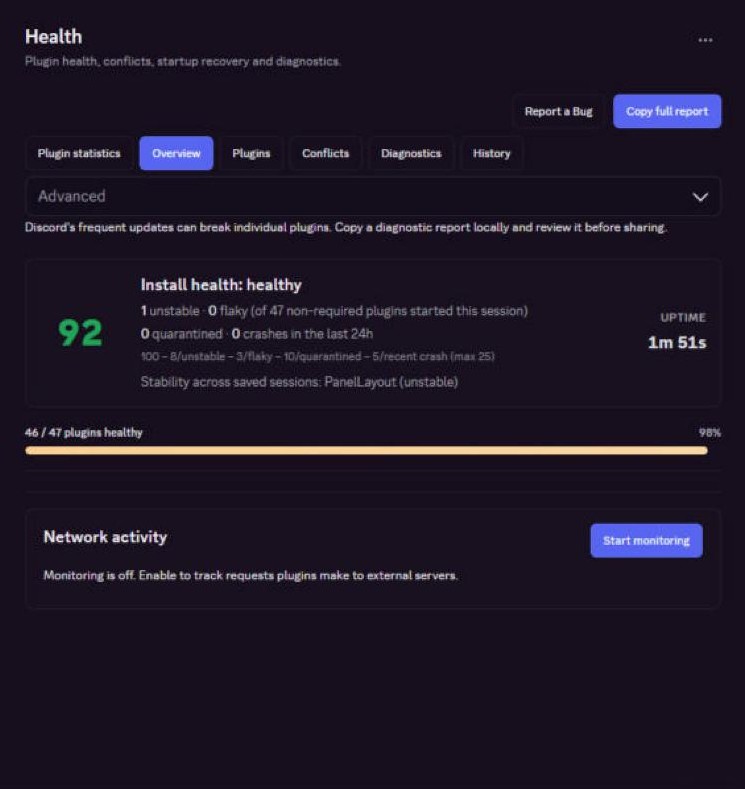
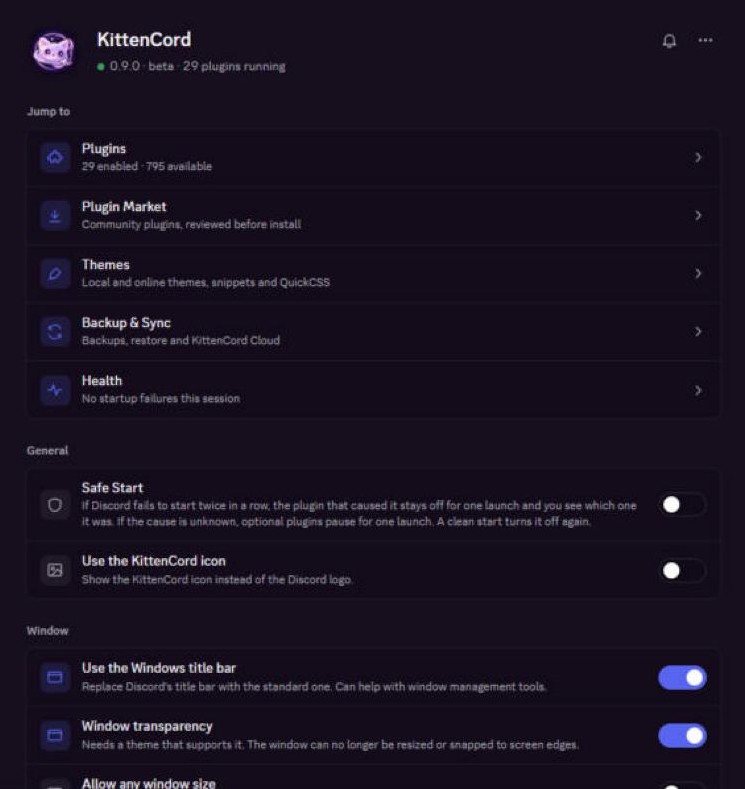
Your version, your plugins and quick links in one page, right at the top of Discord settings.
Window transparency that still lets you move the window from the top bar, with the window buttons where you expect them. Double-click the top bar to maximize.
GPL-3.0-or-later. Read the code, report bugs and suggest plugins on GitHub.
Made here
Plugins you will only find in KittenCord.

KittenCord includes the plugin collections of TestCord, Equicord and Vencord, kept with their original authors.
Plugins
Every plugin that ships with KittenCord. Turn them on from Settings → KittenCord → Plugins.
Loading plugins…
Plugin Studio
Plugin Studio is a tab on the Plugins page. Write a TypeScript plugin, build it, and run it without leaving Discord.
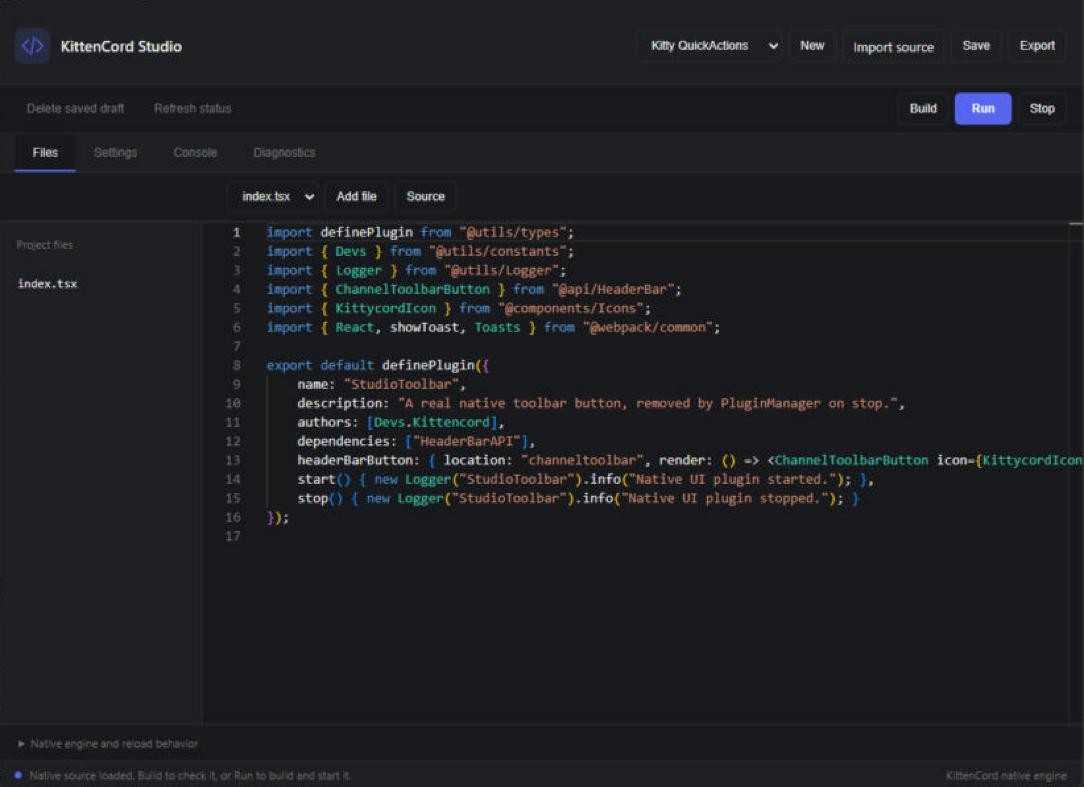
export default definePlugin({
  name: "HelloKitty",
  description: "Say hi from KittenCord",
  start() {
    console.log("meow!");
  }
});
Install
KittenCord installs into the Discord desktop app on Windows.
Get KittencordSetup.exe from the GitHub release. It is small because it downloads KittenCord itself during install.
Run it, choose your Discord installation and select Install / Repair. Setup checks the download and restarts Discord.
Open Discord settings. KittenCord has its own section in the sidebar.
0.9.0 Beta 2 · 2.7 MB setup · downloads about 33 MB
Loading…Setup is not code-signed yet, so Windows SmartScreen may warn you. You can check the file with certutil -hashfile KittencordSetup.exe SHA256. To remove KittenCord, run setup again and choose Restore.
FAQ

Yes. KittenCord is free and open source under GPL-3.0-or-later. The source is on GitHub.
Client mods are against Discord's Terms of Service. There are no known cases of people being banned just for using one, but avoid plugins that automate your account. If your account is very important to you, don't use any client mod.
No. Vencord, Equicord and TestCord badges keep showing, next to your KittenCord badges.
Run KittencordSetup.exe again and choose Restore. Discord goes back to normal, and your KittenCord settings are kept in case you come back.
Not yet. This release is for the Discord desktop app on Windows.
Safe Start handles it: after two failed starts, the plugin that caused it stays off for one launch, and KittenCord tells you which one. Report it in the Discord server so it can be fixed.
Changelog